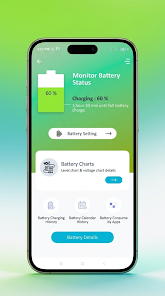
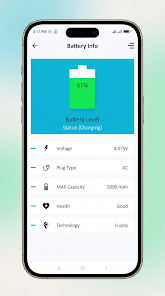
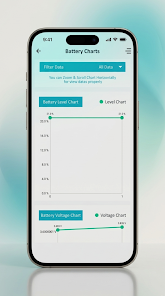
Battery Pulse: Status Monitor provides clear, real-time battery analytics so you can understand how your device uses power and make smarter charging decisions. The app surfaces precise metrics — current battery level, voltage, temperature, health status and battery technology — and combines them with an ongoing log of charging and discharging cycles. Designed for people who want reliable diagnostics rather than magic fixes, Battery Pulse: Status Monitor presents data in an uncluttered overview so you can form better habits and protect long-term battery health.
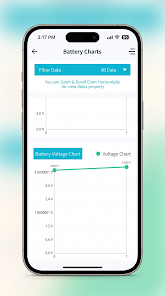
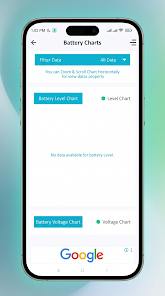
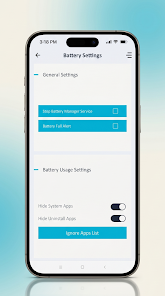
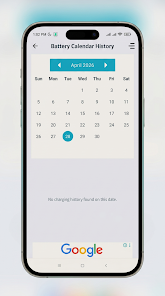
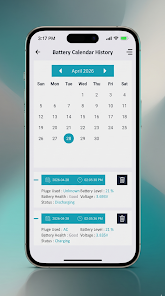
The app reports exact numeric readings alongside contextual explanations so values like voltage or temperature are meaningful even if you are not a technician. Charging and discharging history is stored locally as a chronological log with timestamps for each cycle, and interactive charts let you inspect day-by-day consumption or jump to a calendar view to compare weeks and months. App-by-app usage analysis identifies background drains and highlights which installed apps are most active when the screen is off, helping you prioritize manual management. Custom alerts are available for user-defined thresholds such as low battery, full charge, or temperature warnings so you receive clear notifications before a potential problem develops.
The user interface focuses on quick readability and straightforward controls: a main dashboard shows the current state at a glance, tapping any metric reveals a detailed panel with history and definitions, and swipe gestures move between daily, weekly and calendar summaries. Controls are intentionally simple — enable or disable notifications, set threshold values through sliders, and open an app usage report that zones background activity by percentage. No automatic system changes are applied without your confirmation; the app empowers you to act based on the diagnostics it provides rather than taking control of device behavior.
While not a game, the app offers progression in the sense of measurable improvement: as you watch trends over time you can track reductions in background drain, longer on-screen time per charge, or fewer full cycles that stress battery health. Habit-oriented features encourage consistent checks — perform a weekly review to compare consumption, set monthly targets for reducing standby drain, and use the historical charts to reward progress. This structure gives the app replay value for users who enjoy optimizing device performance and seeing tangible results from small changes.
The visual design favors legibility with a dark-mode friendly palette and high-contrast typography to keep numbers readable in any lighting. You can customize which metrics appear on the main screen, choose a compact or expanded layout depending on how much detail you want at a glance, and switch between linear and stacked chart styles for consumption visualization. These options let you tailor Battery Pulse: Status Monitor to your preferences without cluttering the experience with unnecessary controls.
Battery Pulse: Status Monitor is built with accessibility in mind: adjustable font sizes, clear color contrast, and descriptive labels help screen readers interpret data. Because all core diagnostics and logs are gathered on-device, the app works offline and does not require a network connection to provide accurate readings, view history, or trigger local alerts. This makes it suitable for privacy-conscious users and situations where connectivity is limited.
The app does not claim to speed up charging, boost battery capacity, or change hardware behavior — it provides measurements and recommendations only. It will not automatically terminate background apps; users must take manual action when the diagnostics indicate an issue. These constraints are intentional to keep expectations realistic and to ensure the app remains a reliable source of information rather than a promised performance tool.
Battery Pulse: Status Monitor is especially useful for anyone who wants to extend battery life through informed decisions: frequent travelers who charge irregularly, power users running many background services, and everyday users curious about what impacts battery health. By combining precise readings, continuous logs and clear visualizations, the app helps users build better charging habits and maintain awareness of long-term trends without technical guesswork.