

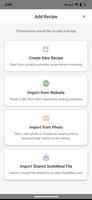
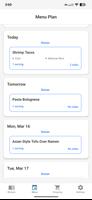
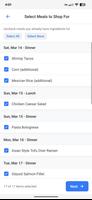
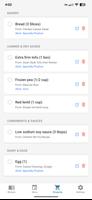

SuiteMeal is a complete food management suite that combines recipes, meal planning, and shopping lists into a single, easy-to-use app. It helps you collect recipes, plan meals for the week, and produce organized shopping lists so you can save time, reduce waste, and avoid last-minute rushes. Import recipes from hundreds of cooking sites, scan printed or handwritten notes with built-in OCR, or create recipes from scratch with full control over ingredients, timing, and tags. With a clean calendar, pantry-aware lists, and helpful notifications, SuiteMeal streamlines meal prep without any recurring subscriptions.
⭐ Import recipes from 500+ cooking websites simply by pasting a URL, keeping all your dishes in one place.
⭐ Scan printed or handwritten recipes with built-in OCR or enter recipes manually with detailed ingredients, instructions, timing, and tags.
⭐ Track how often you cook each recipe and use smart sorting to rediscover favorites or prioritize family-loved meals.
⭐ Plan meals on a clear 10-day calendar for breakfasts, lunches and dinners, and receive notifications when to thaw items or start cooking to hit meal times.
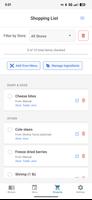
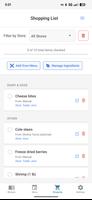
⭐ Generate shopping lists directly from your meal plan: quantities are aggregated, pantry items are filtered out, and items are organized by store.
⭐ Assign preferred stores to ingredients once, add items manually with automatic ingredient parsing, or import entries from your existing shopping lists for quick setup.
✅ No subscriptions: SuiteMeal emphasizes a pay-once approach for Pro features so you won’t be billed monthly.
✅ One-time Pro upgrade unlocks syncing of recipes, meal plans, shopping lists, and pantry across devices with background updates.
✅ Consolidates recipe storage, planning and shopping into a single tool to reduce app hopping and streamline weekly prep.
✅ Pantry-aware shopping lists and store-based organization save time at checkout and help avoid duplicate purchases.
✅ Notifications for thawing and cooking start times help you deliver meals on schedule without constant planning.
❎ Cross-device syncing requires signing in and purchasing the SuiteMeal Pro one-time upgrade to enable cloud sync.
❎ You need to provide recipes and personal preferences—SuiteMeal organizes and manages content but relies on your recipe collection.
❎ Initial setup (adding pantry items and assigning store preferences) takes time to configure before lists are fully automated.