



AV Player is an all-in-one HD video and music player for Android that combines a clean file manager, reliable playback and simple controls into a single lightweight app. AV Player opens local movies and audio files in common formats and focuses on smooth, hardware-accelerated playback for HD, Full HD and 4K content while keeping a minimal interface that is easy to navigate. The app is designed for offline use and fast loading so you can play large files without delays and continue audio playback in the background while using other apps.
AV Player supports a broad set of container and codec combinations such as MP4, MKV, AVI, MOV, FLV, WMV and 3GP for video and common audio formats like MP3, AAC, WAV and FLAC. The player uses hardware acceleration and optimized decoding paths to reduce stutters and dropped frames on a wide range of devices, improving both performance and battery life. Automatic folder scanning keeps your media organized by detecting new files and presenting them in an accessible folder view rather than a cluttered flat list.
Subtitle support in AV Player includes loading external subtitle files, choosing character encodings, and basic sync adjustments so captions stay aligned with speech. Gesture controls let you swipe to seek, tap to play or pause, and adjust brightness or volume directly on the playback screen, reducing the need to hunt for small buttons in dark or bright environments. Background playback allows audio from video or standalone music files to keep playing when you switch to another app, so your listening experience remains uninterrupted.
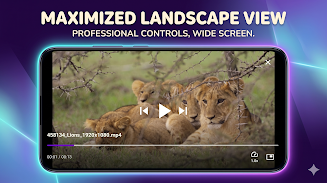
The user interface centers on straightforward playback controls and large touch targets for easier use on phones and tablets. Seek and scrub gestures are responsive and support frame-accurate navigation where files and codecs allow it. AV Player exposes basic playback controls like play, pause, fast-forward and rewind, as well as options to lock the screen during playback to prevent accidental touches. Menus are kept minimal and contextual so that common tasks remain one or two taps away while advanced settings are tucked into a clearly labeled settings area.
The built-in file manager in AV Player makes it simple to browse storage folders, create and maintain a personal directory structure, and quickly open media files from nested folders. Automatic scanning updates the library view when new files are added, and the app presents folder-based navigation in addition to file-level access, which helps users who prefer working with organized directories. This approach preserves your existing folder layout and avoids forcing a new categorization scheme.
AV Player prioritizes predictable playback over flashy extras. Quick load times and stable playback are emphasized for long viewing sessions, and the app keeps controls and overlays unobtrusive so content remains the focus. Subtitle font size and display options are adjustable for readability, and simple playback preferences let users choose default behaviors for repeat, screen orientation, and whether audio continues when the screen is off. These settings allow modest customization without introducing unnecessary complexity.
Accessibility is considered through large controls, readable fonts, and subtitle compatibility to support viewers who rely on captions. Because the app is designed for offline playback, there is no dependence on streaming or network connectivity; you can view downloaded videos and local music collections anywhere. Background playback and lock-screen controls provide convenient access to audio sessions when multitasking on the device.
The app is optimized for efficient CPU and GPU usage to keep battery consumption reasonable during extended playback, and it is intended to run well even on lower-spec devices by relying on hardware decoding when available. AV Player focuses on playback and file browsing, so it does not include advanced editing, file conversion, or cloud synchronization features. Users looking for in-app streaming, online backup or detailed media editing will need to supplement the player with dedicated apps.
For users who maintain local libraries of movies and audio files, AV Player provides a compact, dependable way to browse and play media without unnecessary online dependencies. The combination of hardware acceleration, subtitle support, gesture-based controls and a simple file manager creates a smooth day-to-day experience for offline viewing and listening, making it a practical choice for devices used primarily for media consumption.