
IMB MAX is a lightweight companion app designed to help players preview and test custom visual packages before committing to any official purchase. IMB MAX focuses on giving you a clear, contextual look at creator-made skins and battle effects so you can see animations, lighting, and transitions in motion rather than guessing from a static image. The app is aimed at collectors, creators, and curious players who want a practical way to evaluate appearance and performance without changing their live game setup.
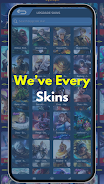
Primary features include high-fidelity previews of custom skins and battle effects created by independent artists, an in-app viewer that places visuals into sample combat scenes, and tools for side-by-side comparison. The viewer reproduces common in-game camera angles and basic environmental lighting so you can judge how a skin or effect looks under different conditions. IMB MAX also provides filtering and search by creator, style, or effect type to make discovery straightforward and reduce time spent hunting through many options.
The preview engine applies selected skins and effects to a standard set of demo models and scripted animations so you can observe motion, particle behavior, and impact frames as they would appear during actual gameplay. You can switch between preset scenes such as arena, close-quarters duel, and mid-range combat to see how visuals react to different camera distances and backgrounds. Playback controls allow you to loop animations, change playback speed for frame-by-frame inspection, and enable or disable certain effect layers to isolate what you want to evaluate.
Interactive controls are optimized for touch and simple gestures: pinch to zoom, drag to rotate the camera, and swipe to scrub through the animation timeline. Dedicated buttons let you jump to preset camera angles or pause on key animation frames. The demo scenes include a set of standard weapon swings, movement animations, and impact sequences so you can test how a skin performs across common actions. These controls are intended to be intuitive for both mobile users and those testing on tablets.
IMB MAX supports organizing previews into collections and saved comparisons so you can build a shortlist before making decisions in the official game store. You can tag favorites, add short notes to specific skins, and compare multiple items side-by-side to evaluate color, animation smoothness, and particle intensity. Creator credits and version notes are shown with each preview to help track provenance and compatibility, and simple sorting options make it easy to return to previously inspected items.
The app is built around iterative evaluation rather than progression systems tied to gameplay; replay value comes from trying new creator uploads, refining preferences, and curating a personal visual library. Streamers and content creators can use IMB MAX to prepare visual demonstrations or to show potential purchases to their audience. Collectors benefit from the cataloging features and the ability to quickly compare legacy designs with newly released creator work to determine what best fits their collection.
Accessibility options include adjustable UI scaling for larger touch targets, a low-performance rendering mode to preserve battery and support older devices, and contrast presets to help with visibility when judging subtler color variants. The app caches recently viewed previews so you can reopen them offline for further inspection; full access to new creator uploads requires an internet connection, but previously downloaded previews remain available without network access.
IMB MAX is a preview and evaluation tool and does not perform or replace official in-game purchases. Some customized skins visible in the app may be unofficial or not purchasable inside the game, and compatibility can vary by game version or platform. For the best experience, keep IMB MAX updated and cross-check any desired item in the official store before buying. By focusing on clear, contextual previews, IMB MAX helps reduce uncertainty and buyer’s remorse while giving you practical tools to explore a wider range of visual options from independent creators.