
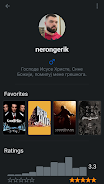
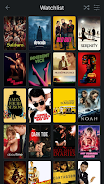
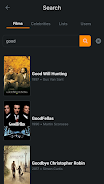

Heteroboxd is a lightweight Android utility that combines cloud aggregation, encrypted local storage and fast file management into one intuitive interface. Designed for users who handle diverse media and documents, Heteroboxd speeds up searching, sharing and backup while giving granular privacy controls and seamless synchronization across devices.
At its core, Heteroboxd provides a central hub for files stored across local folders and multiple cloud services. Expect rapid previews for images, video and documents, a smart search engine that indexes content and tags, and batch operations for moving, compressing or deleting large groups of files. Sharing is simplified with link generation, time-limited access and customizable permissions for recipients.
The app uses a clean, modular layout built around quick actions and minimal taps. A bottom navigation bar provides rapid access to Collections, Search and Transfers, while long-press gestures enable multi-select operations. Heteroboxd’s preview pane supports swipe-to-skip through media and provides context-aware actions like rotate, crop and annotate for images or markup for PDFs.
Workflows are customizable: set rules that tag incoming screenshots, move receipts into a dedicated folder, or auto-upload selected folders to your preferred cloud. For teams, saved search filters and shared collections help keep collaborators aligned without duplicating files.
Security is prominent in Heteroboxd’s design. Local encryption protects vault contents with industry-standard AES-256, while optional end-to-end encryption is available for shared links. Permission settings distinguish view, download and edit rights, and a session history shows recent access to important items. The app requests only necessary permissions and offers a permissions dashboard so users can audit camera, storage and account access at a glance.
Heteroboxd extends beyond simple storage management. It integrates with Android Intents so you can send attachments directly from email apps, and supports automated backups to your chosen cloud provider. Built-in OCR extracts text from images and receipts to make them searchable, while a compact editor lets you annotate PDFs and add notes to any file. Widgets provide one-tap access to pinned collections and quick upload shortcuts from the home screen.
Optimized for modern Android devices, Heteroboxd balances speed with battery conservation. Background sync uses adaptive intervals to reduce unnecessary network activity, and large transfers are handled via a resumable queue so interrupted uploads can continue without starting over. The app supports Android 8.0 and above, and adapts to different screen sizes with responsive layouts and tablet-friendly panes.
Storage-efficient thumbnails and progressive loading keep the UI snappy even with large libraries. If your device is low on memory, the app can offload caches automatically while preserving user preferences and index data.
Installation is straightforward: grant the minimum permissions requested, connect any cloud accounts you use, and run an initial scan to index local media. Create a secure vault if you plan to store sensitive documents, then configure auto-rules to route incoming files into appropriate folders. Use the built-in tutorial to learn gestures and quick actions; most users are comfortable navigating the app within a few minutes.
Heteroboxd suits individuals who juggle multiple storage services, small teams that need lightweight collaboration tools, and anyone who values quick access to organized media. Photographers, freelancers and administrators will appreciate the batch processing, OCR and secure sharing options. The app scales from casual file browsing to more structured workflows with its rule engine and shared collections.
With a balance of powerful features and an approachable interface, Heteroboxd aims to simplify daily file management while keeping privacy and performance front and center.