
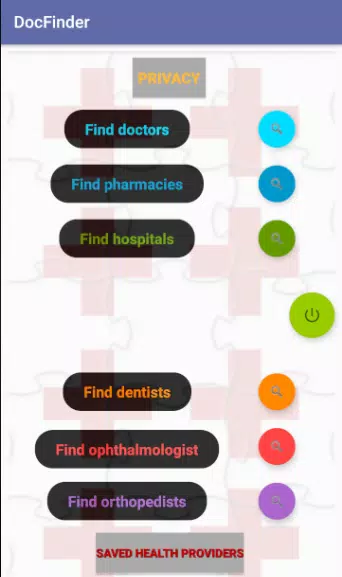




DocFinder is a smart document discovery app designed to locate, preview, and organize files across your Android device and cloud accounts. It combines fast indexing, robust search filters, and quick preview tools to help professionals and casual users retrieve documents with precision and minimal effort.
At its core, DocFinder acts as a centralized search hub for documents, PDFs, spreadsheets, and presentations. Instead of opening multiple folders or cloud apps, you can run a single query and receive relevant results sorted by relevance, date, or file type. The app emphasizes speed and accuracy while keeping a straightforward interface that avoids clutter.
The app builds and maintains an index of files stored locally and in authorized cloud accounts. It uses incremental indexing to keep the catalog current without draining battery. When you type a query, DocFinder ranks matches using keyword proximity, recency, and file importance settings that you can customize. The search bar supports partial matches and boolean operators for precision queries.
DocFinder balances a minimal visual design with functional controls. The main screen centers the search bar and shows recent searches and pinned results for one-tap access. Result cards display a file snippet, source, and action buttons for share, open, or add a tag. Animations are subtle and responsive, preserving performance on mid-range devices.
Background indexing is throttled to run during idle times or while charging. This reduces CPU usage and helps maintain battery life. Users can choose between real-time indexing and scheduled updates depending on their storage activity and performance preferences.
Security is a priority with DocFinder. The app requests only the permissions necessary to index and access the files you choose to include. Cloud integrations rely on OAuth, so credentials are handled by the cloud provider rather than stored by the app. You can exclude folders, enable on-device encryption for stored indexes, and set a local passcode for accessing the app.
Getting the most from DocFinder takes only a few adjustments. Start by connecting your most-used cloud accounts and letting the app perform an initial index. Create tags for recurring projects and pin essential documents to the home screen. Use saved searches for repetitive tasks like monthly reports or client deliverables.
Installation is straightforward: grant access to the storage locations you want indexed, connect cloud services as needed, and run the first index. DocFinder offers a quick walkthrough to configure security settings and import preferences from supported services. After setup, most users find their typical search time reduced significantly.
DocFinder is suitable for professionals who manage large numbers of documents as well as casual users who want a faster way to retrieve important files. With lean performance, secure handling of data, and practical features like tagging and saved searches, it streamlines the document discovery process on Android devices.