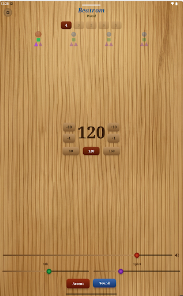
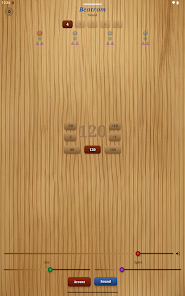
Metronome: Beatrom Wood is a tactile, wood-themed metronome app that helps musicians keep precise timing with a simple interface and adjustable tempos. It delivers realistic tick tones, visual beat indicators and flexible subdivisions, making it suitable for daily practice, composition sessions and live warm-ups across instruments and styles.
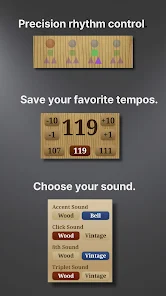
Metronome: Beatrom Wood focuses on practical tools that musicians need. It includes tempo control with fine-step adjustments, beat selection up to complex signatures, and subdivision options like triplets and quintuplets. A set of natural-sounding ticks and customizable accents make it easier to emphasize downbeats. Additional tools include a tap-tempo function and memory slots to store favorite settings for quick recall.
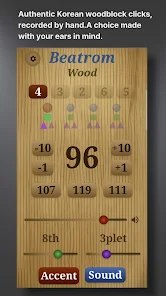
The app presents a clean layout with large tempo numbers and an intuitive tap area. Tempo can be adjusted by swiping, numeric entry, or the tap-tempo button for live synchronization. Visual indicators show the current beat and subdivision, while a minimal settings panel keeps common options within reach. The wood-inspired design reduces visual clutter and creates a warm, familiar aesthetic that feels like a physical practice aid.
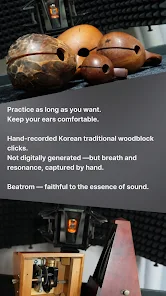
Sound quality is a priority: the built-in ticks are sampled to provide a natural attack and decay, avoiding harsh electronic clicks during extended practice. Users can choose between several timbres, change accent tones for first beats, and adjust volume independently from system media. For recording or stage use, the app supports continuous output and low-latency playback, helping maintain steady timing when connected to an external mixer or audio interface.
Customization controls let you tailor the metronome to specific exercises. Set the number of measures to run before stopping, program tempo ramps for gradual speed increases, and create practice lists combining different time signatures and tempos. Saved presets speed up rehearsals and let you build structured warm-ups or technical routines without constant reconfiguration.
Metronome: Beatrom Wood is designed around efficient practice workflows. Start with a slow tempo and precise subdivisions, then use the tempo ramp feature to incrementally raise speed while preserving accuracy. The visual beat pulse complements audio cues for silent practice or noisy environments. Memory presets make it straightforward to switch between repertoire-specific tempos during multi-piece rehearsals.
Alongside clear visual beat markers, the app offers optional haptic pulses so you can feel the beat without relying on sound. This is useful when practicing quietly or wearing headphones. When connected to Bluetooth speakers or external audio equipment, the timing remains consistent and the app works as a central tempo source for ensembles and small jam sessions.
Built to be lightweight, the app runs smoothly on a wide range of Android devices without draining battery or interrupting other audio apps. Background playback ensures the metronome continues between songs or when the screen is off. The developers have optimized latency so audio output remains stable even with different hardware and Android versions.
Download the app, pick a tempo or tap to set it, then choose beats and subdivisions. Save a few presets that match your regular practice routines so you can launch them instantly. Metronome: Beatrom Wood is built to feel familiar from the first session, letting you focus on timing and musicality rather than menu navigation.