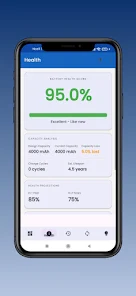
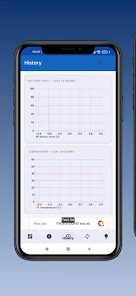
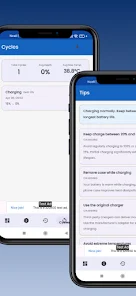
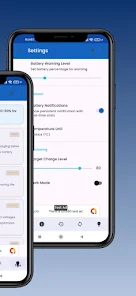
Battery Health Controller puts clear, actionable battery diagnostics on your phone and offers practical tools to slow battery aging. Battery Health Controller starts with a comprehensive real‑time dashboard that surfaces percentage, voltage, current, power, temperature and an estimated instant health score so you can quickly assess whether your device is running normally or under stress. The app combines immediate readings with recorded history and machine‑learning based estimates to help you plan charging habits and spot degrading trends before they become a problem.
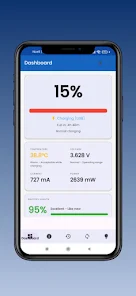
The main dashboard shows live telemetry including percentage, millivolt voltage, milliamp current and milliwatt power readouts alongside temperature in °C or °F and an estimated time to full or empty. A computed battery health percentage and a rolling 30‑day history chart let you watch how capacity and charge cycles evolve over time. The built‑in AI predictor analyzes your device’s recent charge/discharge patterns and provides an estimate of when capacity may fall below 80 percent, presented as an expected date and remaining days. Timed charging reminders and a smart charging scheduler let you define charging windows and receive prompts to plug in or unplug at optimal times to reduce wear.
The app records each charge session, depth‑of‑discharge and temperature exposure to build a progressive history of battery health. This progression system is designed like a monitoring timeline: you can inspect individual cycles, view averages for week or month intervals, and export CSV snapshots for deeper analysis. Trends are computed locally and shown as interactive charts so you can identify steady declines, sudden drops, or improvements after changing charging behavior. The charge cycle counter and average depth‑of‑discharge let you correlate usage patterns with health outcomes, giving a clear progression path from data to decisions.
Battery Health Controller provides a simple touch interface with clear tiles for each metric, pinch‑to‑zoom on charts and long‑press options to export data or pin a specific view to the home screen. Widgets can be placed on your launcher for one‑tap glanceability and the smartwatch companion mirrors the phone’s health score and remaining time so you can check status without pulling out the device. Notifications are adjustable: choose gentle reminders, urgent alerts for high temperature events, or scheduled tips during your chosen charging window.
The visual language focuses on clarity and contrast: color‑coded indicators mark healthy, caution and critical ranges while compact graphs show day‑to‑day variations and a heatmap highlights hours with the highest charging temperatures. Dashboard sections are modular so you can reorder or hide elements you don’t use, and unit settings let you switch between metric and imperial displays. Charts are interactive, with hover details and selectable time ranges to make pattern recognition fast and intuitive.
Custom thresholds, scheduled charging windows and notification preferences let you tailor the app to your routine and hardware. While the app does not create competitive leaderboards or online rankings, it supports ongoing personal goals such as maintaining a health score above a chosen threshold or reducing average depth‑of‑discharge. These persistent settings and reminders create replay value by encouraging better daily habits and offering measurable feedback on progress over weeks and months.
All recorded battery data is stored locally on your device and no sign‑in is required, so you can use the app fully offline. Local storage and exportable CSV files mean you keep full control of your history and can analyze it without sharing to external services. Bluetooth permissions are requested only when you enable accessory monitoring for earbuds, watches or other BLE devices, and the smartwatch companion operates directly with supported paired wearables.
Battery Health Controller includes large text options, high‑contrast color modes and support for assistive services so users with different needs can read metrics and act on alerts. Sensor access and advanced thermal readings vary by device model; the app detects available hardware and adjusts displayed metrics accordingly. Features such as the thermal throttle detector log CPU/GPU throttle incidents with timestamps so you can correlate heat events with battery drain on compatible devices.
The app offers contextual tips based on your recorded history to reduce wear, such as recommended charging windows, temperature avoidance and reducing deep discharge cycles. Keep in mind the AI lifespan predictions are estimates derived from historical behavior and device sensors; they’re intended to guide planning rather than provide absolute deadlines. Bluetooth‑dependent accessory monitoring and some advanced sensor values require appropriate permissions and compatible hardware to function fully.