


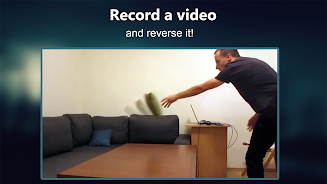
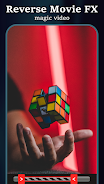


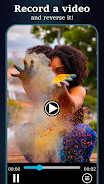

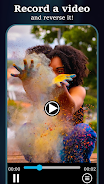

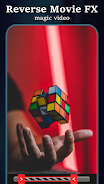
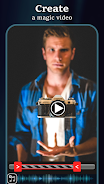
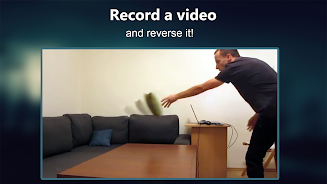
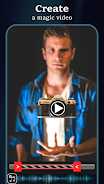
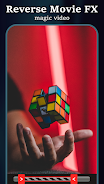
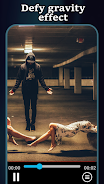

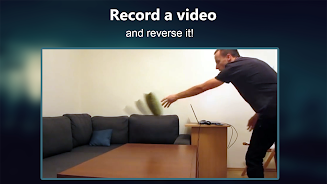
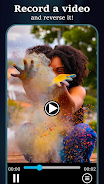
Reverse Movie FX is a mobile app that lets you transform ordinary video clips into captivating reverse-motion scenes with a few taps. It focuses on reversing playback, adding effects, and exporting polished short videos suitable for social sharing, all within an intuitive editor designed for quick creative results.
Designed for creators who want playful, cinematic rewind effects, Reverse Movie FX focuses on a single creative trick executed well. The app is lightweight and aimed at casual users and social media enthusiasts who want to produce eye-catching snippets without a steep learning curve.
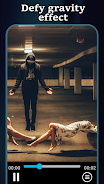
At its core, Reverse Movie FX reverses footage so actions play backward — think water flowing up, spilled objects regrouping, or a jump resolving into a calm landing. Beyond reversal, it adds optional overlays, soundtracks, and simple transitions that help the final clip look deliberate rather than accidental.
The feature set is focused and approachable. Expect tools that let you:
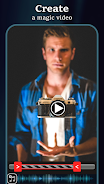
Working with the editor is straightforward. Import a clip, drag handles to define the reverse region, preview your choice, then layer an effect or soundtrack. The timeline is simplified, so there’s minimal fine-grain editing — the emphasis is on speed and ease rather than frame-by-frame precision.
Reverse Movie FX supports typical export presets for Instagram, TikTok, and other social apps. You can choose resolution and compression levels before saving to local storage or sharing directly. Batch exporting a few short clips in sequence is possible but best suited to small projects rather than heavy production work.
Although not a full-fledged video studio, the app offers useful customization such as fade transitions, volume control for added audio, and simple filters to change the mood. These controls let casual users create distinct takes without learning complex timelines or keyframes.
The user interface favors large icons and one-touch actions. This makes common tasks fast on smaller screens. Rendering times depend on clip length and chosen resolution, but short clips typically process in seconds to a minute on modern devices. Expect occasional ads and optional in-app purchases for advanced export options or watermark removal.
To get more believable reverse effects, shoot with a clear single action in the frame and avoid motion blur. Use high-contrast backgrounds so the reversed movement reads cleanly. Short clips with a defined start and finish tend to look more polished when reversed than longer, busier footage.
Reverse Movie FX is popular among influencers and casual videographers who want quick novelty videos. It’s great for stunt reversals, playful trick shots, and short comedy beats. The app’s simplicity is its strength: you can create shareable content in minutes without technical training.
Installation is standard through the Google Play store. After granting access to media files, the app walks you through importing your first clip. A small in-app tutorial highlights the reversal selector and export button so beginners can start producing results right away.
For anyone seeking a compact, purpose-built tool to make reversed videos, Reverse Movie FX offers a focused set of capabilities with a gentle learning curve. It does not replace professional editors, but its speed and clarity make it an excellent choice for quick creative experiments and social video posts.