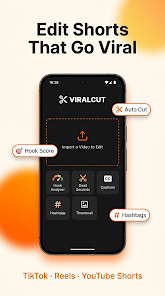


ViralCut - AI Shorts Editor is a compact mobile video editor designed to help creators transform raw clips into platform-ready short videos quickly and with minimal fuss. The app pairs automated, AI-assisted tools with straightforward manual controls so users can trim, caption, reframe, and export short-form content for TikTok, Instagram Reels, and YouTube Shorts without a steep learning curve.
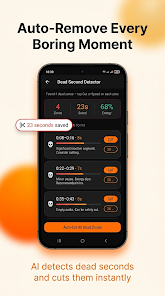
At its core ViralCut - AI Shorts Editor streamlines the most repetitive tasks in short-form production. The editor detects highlights in longer footage by analyzing motion and vocal peaks, suggests crop areas for vertical and square formats, generates editable captions with synced timings, and offers fast aspect-ratio conversion to prevent awkward stretching. These automated steps reduce the time between capture and publish while leaving key creative decisions in the user’s hands.
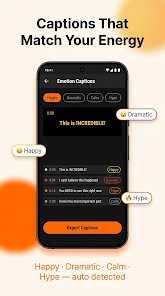
The interface centers on a timeline with large preview thumbnails, so trimming and splitting feel tactile and predictable. Auto-trim identifies likely highlight segments but is paired with manual scrub and split controls for precise edits. The AI caption tool creates readable subtitles and applies them to the timeline with editable text, font and position options. Basic color correction sliders, audio ducking, and beat-aligned transition presets help polish clips quickly; for users who want finer control, keyframe adjustments and tempo indicators allow more detailed timing and motion work.
Projects are organized as editable sequences with clear thumbnail previews and named tracks for video, audio, and text overlays. Templates act as structured starting points—examples include reaction, tutorial, and before/after layouts—that users can adapt and save as custom presets. New users progress naturally from guided onboarding to manual adjustments: the short in-app walkthrough demonstrates trimming, subtitle edits, template tweaking, and exporting so creators build useful skills while completing real projects. Paid tiers unlock advanced export resolutions, extended royalty-free libraries, and expanded manual controls for creators who need a greater degree of refinement.
ViralCut offers a set of visual tools that suit a range of aesthetics without overwhelming beginners. Color filters and grading sliders provide quick looks, while font choices, subtitle positioning, and customizable transition presets let creators maintain a consistent brand style across multiple posts. Because projects can be saved as templates and presets reused, the app supports rapid iteration and A/B-style testing of edits to discover what performs best—giving the editor strong replay value for creators who frequently repurpose footage or test new formats.
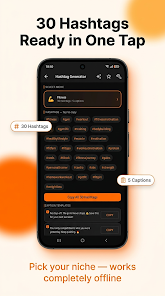
The app is designed for mobile ergonomics: large buttons, gesture-friendly trimming, and readable timelines improve accessibility on smaller screens. Subtitle customization includes size and background options to support viewers with hearing or vision differences. ViralCut works offline for core editing tasks, allowing creators to import footage, edit timelines, and export locally without a constant internet connection; cloud sync and team collaboration are optional features that require sign-in and are available in paid plans.
On modern Android devices the editor runs smoothly during playback and most exports, while very large projects or high-bitrate exports can take longer on older hardware. Background rendering and export queuing permit continued work within the app while files process. Exports support common codecs and include presets tailored for major social platforms; users can also save custom export settings to handle different resolution and bitrate requirements across channels.
Installation is straightforward: download, grant camera and storage permissions, and complete the brief onboarding tutorial. Begin with a template close to your desired format, use the auto-captions then refine wording and timing, and save custom export presets if you post to several platforms regularly. For collaborative workflows, cloud sync and project handoff tools are available in subscription tiers. Whether you’re a casual creator or part of a small social team, ViralCut - AI Shorts Editor balances time-saving automation with hands-on tools so you can produce polished short videos efficiently while maintaining creative control.