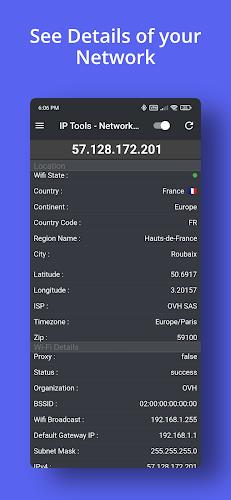
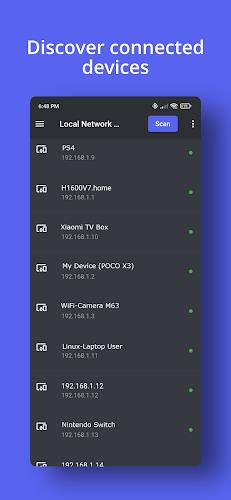
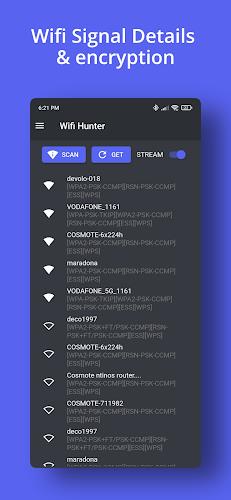
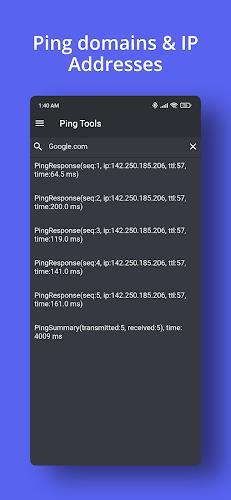
IP Scanner is a compact network discovery tool for Android that identifies devices on your local network, probes open ports, and reports connection details in a clear, actionable format. It combines fast scanning, device vendor lookup, and exportable results to help home users and IT professionals manage devices with minimal setup.
IP Scanner includes a suite of tools designed to make network discovery straightforward and reliable. The scanner performs simultaneous host discovery across IPv4 and local IPv6 ranges, lists active devices with their IP and MAC addresses, and resolves manufacturer names when possible. Built-in ping, traceroute, and simple port checks provide immediate connectivity context. Results can be filtered, grouped, and exported to CSV for documentation or troubleshooting.
The app uses a combination of ARP, ICMP, and TCP SYN techniques to detect reachable hosts quickly and accurately. ARP scanning is used where available for fast MAC address discovery on Wi-Fi and Ethernet subnets. For networks that block ARP or ICMP, IP Scanner falls back to TCP-based probes to identify responsive services. Parallel scanning threads balance speed and battery usage, and scan timeouts are configurable so longer scans can pick up sluggish devices without failing prematurely.
IP Scanner presents results in a compact list with sortable columns for IP address, hostname, MAC, vendor, and status. Tapping a device opens a detail view with historical reachability, active ports, and a quick action menu for ping, traceroute, or opening an SSH or RDP client. Dark and light themes keep the interface readable in different environments, and search and tagging let you locate devices across multiple scans.
Power users will appreciate configurable scan ranges, custom port lists, and scheduling options for periodic monitoring. The app supports exclusion lists to ignore known devices, automatic labeling rules based on MAC vendor prefixes, and notification settings for when a critical device goes offline. Export profiles let you save preferred CSV columns and formatting for audits or sharing with colleagues.
Designed to run on a broad range of Android devices, IP Scanner minimizes CPU and battery impact by throttling concurrent threads on lower-end hardware. It detects the active network interface and adapts scan strategies for Wi‑Fi, cellular tethering, and Ethernet connections where supported. The app is compatible with Android versions commonly found on phones and tablets; hardware limitations may affect low-level discovery features on some manufacturers' builds.
Network scanning requires local network and optionally location permissions depending on Android version; the app requests only what is necessary and explains each permission's function. Device details collected during scans are stored locally on the device and can be cleared or exported by the user. IP Scanner does not upload your network data to external servers unless you explicitly use a sharing or cloud export feature.
Home users can use IP Scanner to map smart home devices, find unknown gadgets slowing a network, or confirm router lease assignments. Small IT teams and consultants will find the export and scheduling features useful for inventory, troubleshooting intermittent connectivity, and verifying port availability for services. Field technicians benefit from fast discovery and the ability to run targeted port checks before remote support sessions.
To begin, install the app, grant the local network permission when prompted, and run an initial scan of your subnet. Review the results, tap any entry for details or quick tests, and save an export if you need a record. Use scheduled scans to maintain an up-to-date view of your environment and configure alerts for critical hosts. With minimal configuration, IP Scanner becomes a reliable companion for network visibility on the go.