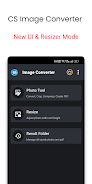
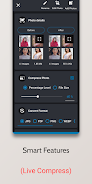
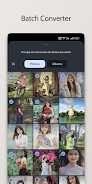
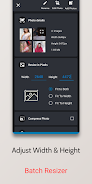

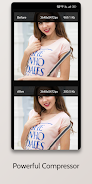
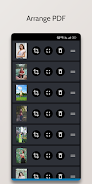
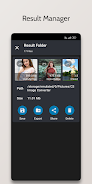
Image Converter - PNG/JPG/JPEG is a lightweight utility that converts photos and graphics into common image formats such as JPG, JPEG, PNG, GIF, BMP, WEBP and PDF. Image Converter - PNG/JPG/JPEG places format selection front and center so you can pick the right output type quickly, edit the filename before saving, and store results directly in your device gallery for easy access. The app preserves the original resolution and visual quality during conversion and offers a simple viewer to preview results and share converted files immediately or manage them from a dedicated converted-images gallery.
The app supports a wide range of target formats, including JPG, JPEG, PNG, GIF, BMP, WEBP and PDF, which makes it useful for preparing images for email attachments, document inclusion, web uploads or archive storage. Image Converter - PNG/JPG/JPEG provides an intuitive output format picker that surfaces the most common options first and shows the expected file extension before you save. Before finalizing the conversion you can change the output filename to keep your files organized and recognizable.
Conversion follows a clear four-step workflow: choose an image from the device or gallery, select the desired output format with the on-screen picker, adjust the output filename if needed, then tap Convert to produce the final file. The on-screen controls are deliberately minimal — large buttons and clear labels guide you through each step so non-technical users can complete a conversion in seconds. A progress indicator shows conversion status for larger files and provides basic error messages if a file cannot be processed.
The user interface emphasizes clarity and speed with a clean, uncluttered layout that focuses on the core task of format conversion rather than advanced editing. Thumbnails and a built-in viewer let you confirm visual fidelity before saving, and the app keeps converted files in an organized converted-images gallery for quick retrieval. Sharing is handled through the Android share sheet, so you can send results to email, messaging, cloud apps or social apps installed on your device without leaving the app.
Rather than a game-like progression, Image Converter - PNG/JPG/JPEG improves productivity through repeated, consistent use: frequent tasks such as preparing images for work documents, social media, or archiving become faster as you become familiar with the workflow. The app’s simple, repeatable steps and predictable output naming let you build a personal routine for image preparation, reducing friction over time and increasing overall efficiency.
Beyond format choice and filename editing, file management is handled through the converted-images gallery, where you can open, share or delete converted items. Saved files appear in the device gallery so standard photo management apps and backup routines can include them automatically. The app does not require cloud access and keeps all conversions local to your device unless you choose to share externally.
Image Converter - PNG/JPG/JPEG performs conversions on the device without needing an internet connection, which keeps processing fast and preserves privacy. The app offers feedback during conversion so you can monitor progress on larger images. It is designed to work well with Android’s system settings, including scalable text and basic accessibility services, and it aims to remain responsive on a wide range of device sizes and hardware capabilities.
The app is focused on format conversion and file organization rather than image editing, so it does not provide cropping, filters, advanced color correction, or cloud synchronization. Very large image files may take longer to convert depending on device resources, and the app will report errors if an input file is unreadable or corrupted. Where possible the app preserves resolution and visual quality, but users should confirm results with the viewer before sharing or archiving.
Image Converter - PNG/JPG/JPEG is a practical tool for students, professionals, content creators and anyone who needs to change image formats for compatibility or size reasons. Its straightforward controls, local processing and clear file-management features make it a dependable utility for routine image preparation tasks on Android devices.