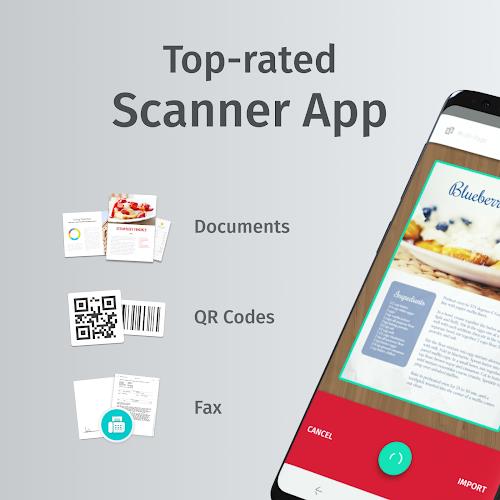
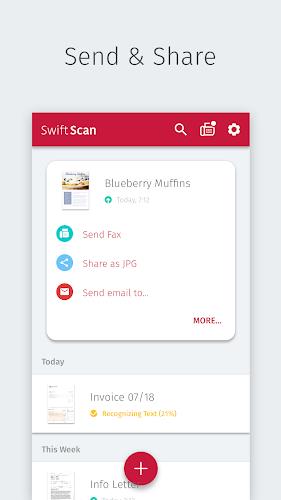
SwiftScan turns your Android phone into a portable document scanner, letting you capture, edit and share paperwork without a bulky scanner. The app automates fast scanning, edge detection and image enhancement so documents export cleanly in JPG or PDF, and users who handle daily paperwork will appreciate SwiftScan’s simple, easy-to-navigate interface and built-in editing tools for cropping, rotation and contrast adjustment.
SwiftScan focuses on practical tools that streamline common scanning tasks. Automatic edge detection frames the document for a clean crop, and automatic image enhancement adjusts exposure and contrast to improve legibility. Output options include high-quality JPG and multi-page PDF exports, with basic quality controls so you can choose smaller files for email or higher resolution for archiving. The app supports batch scanning of multiple pages in one session and lets you reorder pages before export, so short workflows like receipts, contracts and handwritten notes are completed in a few taps.
Capturing a document is deliberately straightforward: use the in-app camera viewfinder to align the page, let automatic detection capture the edges, or tap to take a manual shot when you need precise framing. Quick manual controls let you force focus, toggle flash, or switch between single and multi-page modes. After capture, an editor automatically presents crop handles and simple sliders for brightness and contrast so you can make corrections without leaving the app. With intuitive gestures and clear on-screen buttons, SwiftScan keeps common actions visible and minimizes the steps required to save or share a file.
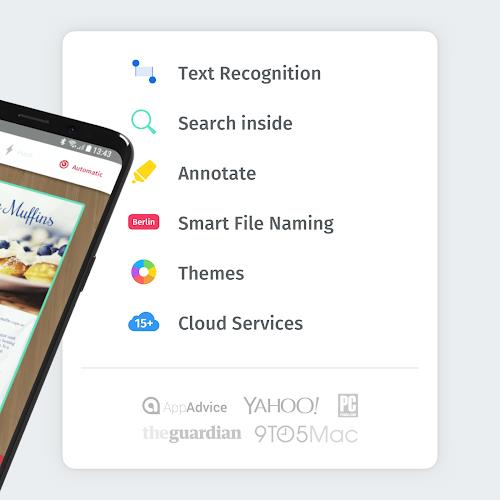
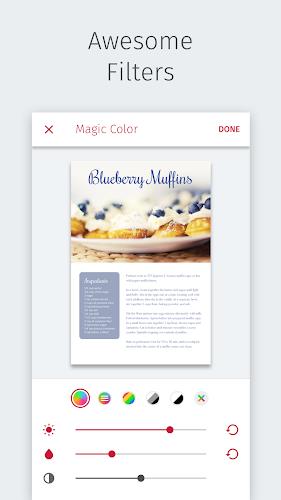
The built-in editor includes cropping, rotation and several enhancement presets that adapt to documents, photos or receipts. You can fine-tune brightness, contrast and sharpness with sliders, and apply a grayscale or color restore option when needed. File naming and export settings are customizable so saved scans follow a predictable format for archiving. The interface uses a compact layout and clear icons to keep the visual experience uncluttered, and standard Android accessibility settings are respected to improve readability and touch targets for users who need larger controls.
Scans can be saved locally with descriptive filenames and organized into folders on your device, helping you build a personal archive over time. As your scan library grows, common workflows include grouping related documents into folders for projects, invoices, or client files, and exporting selected pages as a single PDF for sharing. The app supports a simple progression from capture to edit to export, and file management features like rename and delete let you refine and reorganize scans so the system becomes more efficient the more you use it.
SwiftScan is designed to work offline for capture and basic editing, so you do not need an internet connection to scan documents on the go. Cloud or email export requires connectivity, but local saving and page reordering are fully functional without network access. The app aims for responsive performance on a wide range of Android devices; processing is optimized to run on-device and limit battery and memory use during normal scanning sessions.
The app requests camera and storage permissions to perform scanning and to save files locally, and it is compatible with most modern Android phones that include an autofocus camera. Scan quality depends on the camera and lighting conditions: good overhead light and a steady hand produce the best results. For users with visual accessibility needs, the clean layout and large, clearly labeled buttons make routine tasks easier, and standard Android accessibility tools are supported.
SwiftScan speeds up everyday paperwork, but it is not a replacement for industrial or high-volume office scanners designed for bulk processing. Very small text, highly reflective paper, or extreme low-light environments may reduce clarity and require retakes or external lighting. Privacy practices are straightforward: scans remain on your device unless you explicitly share or export them, and cloud services are optional when you choose to upload or sync files. If you rely on intensive batch processing or enterprise-scale scanning, dedicated hardware and software will still be the better choice.