aTimeLogger is a flexible time-tracking app that helps you record tasks, monitor productivity and analyze how you spend your day. Designed for people who bill hours, manage multiple projects or simply want better insight into daily routines, aTimeLogger combines quick timers, manual entries and focused reports to create a reliable log of work and personal time. The app's straightforward setup and clear visual summaries make it fast to adopt and easy to review at the end of a day or week.
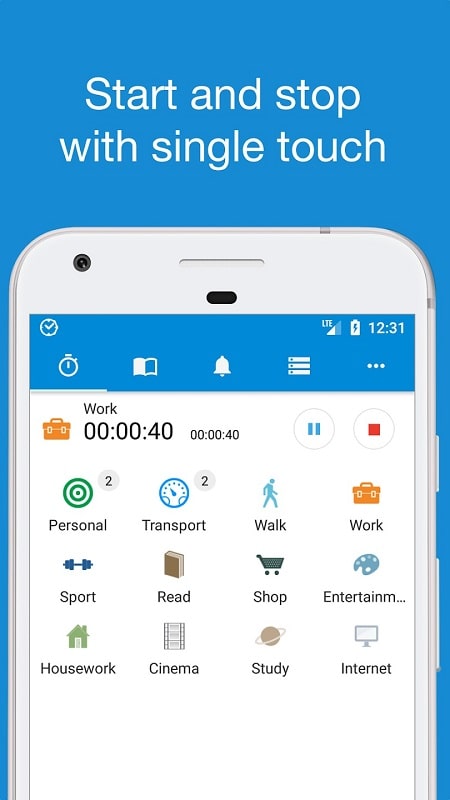
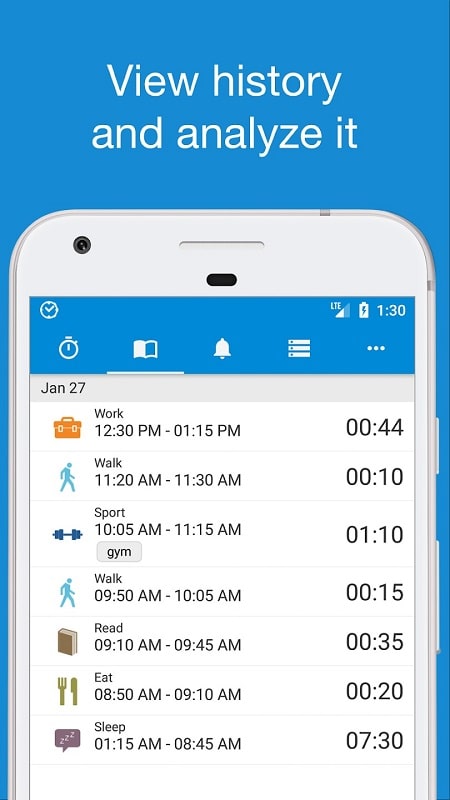
The core functionality centers on one-tap timers to start, pause and switch tasks with minimal friction, together with manual entry for retrospective logging. Timed sessions are recorded with category and project tags, and notes can be attached to clarify the nature of each entry. Built-in idle detection and reminder notifications reduce gaps in tracking, while merge and split tools let you clean up long running sessions into meaningful segments. Export options include CSV and PDF so you can prepare invoices or import logs into spreadsheets and billing tools. aTimeLogger supports color-coded categories, adjustable rounding rules and detailed filters so you can tailor reports to billing cycles, client needs or personal analysis.
Controls are intentionally simple: start a timer when you begin a task, pause or switch tasks as priorities change, and edit entries later if you need to correct times or add context. The app includes short onboarding tips that demonstrate creating categories, adding manual records and generating a weekly summary, which speeds up the first-use experience. Display settings allow you to change the density of the timeline and to show or hide notes for a cleaner review screen. Accessibility-minded choices such as high-contrast labels and readable fonts make it easier to scan long logs, and the interface scales well for phones and tablets so the same controls feel natural on different screen sizes.
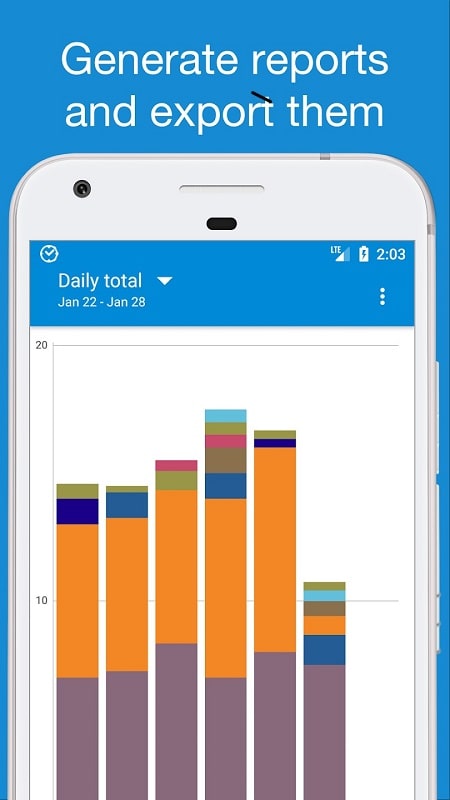
Report templates are adaptable: choose daily, weekly or custom date ranges, include or exclude brief interruptions, and select the level of detail you want in output files. Tagging and categories let you create structured summaries by client, project or activity type, and color coding keeps those summaries visually clear at a glance. Merge and split functions help turn raw timestamps into tidy invoices or performance reports, while export formats are suitable for accounting, invoicing and archiving. You can save common report templates for repeated use so routine billing or productivity reviews take less time.
Rather than gamified rewards, the app focuses on measurable progress through comparative reports and trend analysis. Look at daily and weekly totals to spot recurring high-effort tasks, compare periods to evaluate changes in workload, and use aggregated views to identify time sinks that could be reduced. Over time, regular logging produces a dataset that makes habitual patterns visible and supports gradual improvement in planning, scheduling and billing accuracy. The ability to filter by client or project also helps you evaluate profitability and prioritize where to invest your hours.
Time is organized in a hierarchy of categories and projects so you can represent nested work structures such as client > project > task. Custom tags and notes let you add context to entries for later review. Because entries are easy to edit and reclassify, refining your log is an ongoing process that increases the value of historical data; repeated review of these records provides practical replay value in the form of better estimates and smarter scheduling. Visual cues such as color bands and compact summaries make it fast to re-scan past days and to prepare the next week's plan.
Lightweight by design, the app runs smoothly across a wide range of Android devices while minimizing battery impact during active tracking. aTimeLogger works offline for primary logging and manual edits, so you can record time without network access and export or sync later. Local storage keeps logs private on the device unless you opt into cloud backup or synchronization, and regular maintenance updates address reliability and export improvements. These choices let you balance convenience, privacy and multi-device access according to your workflow.
Installation and first steps are straightforward: install the app, create a few categories such as Work, Meetings and Breaks, then start a timer during your next task. Use the short in-app tips to learn how to add manual entries, merge records and produce your first weekly report. Within a few minutes of setup you can begin collecting useful data that leads to clearer insights into your time usage and more accurate billing when needed. If you want to refine habits, revisit reports weekly and adjust categories and rounding rules so the app reflects your real workflow.