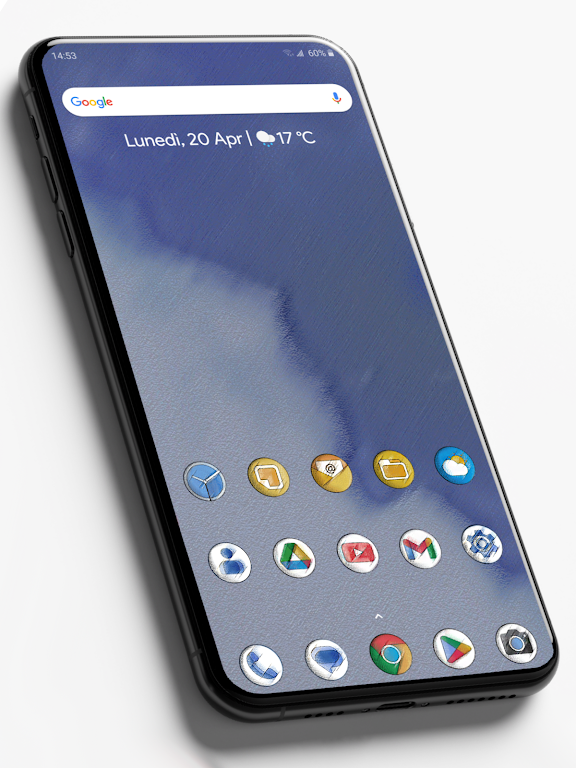
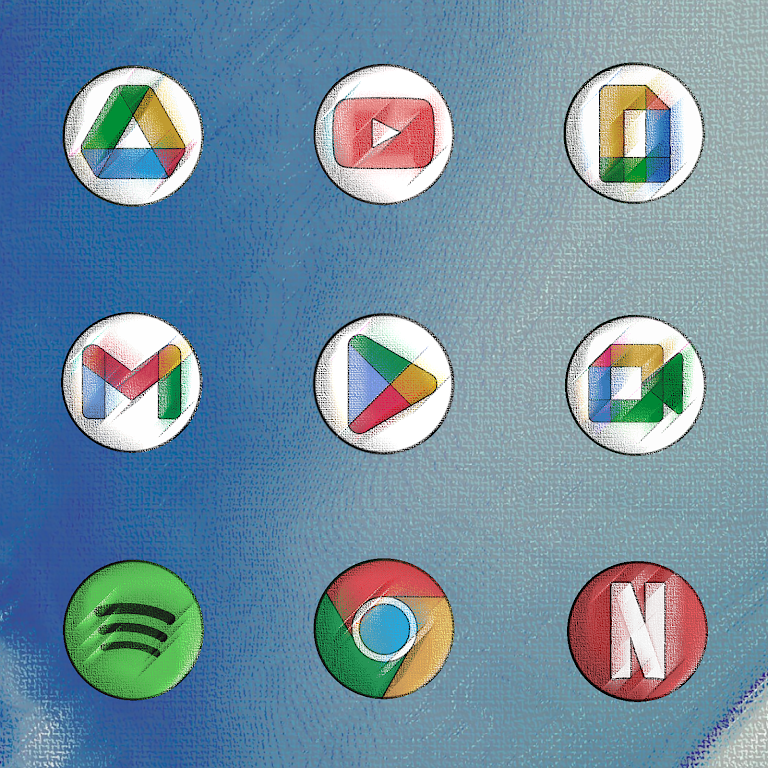
Pixly Vintage - Icon Pack is a handcrafted icon theme that brings a nostalgic, gallery-quality look to Android home screens. Right from installation you get a coherent visual language where familiar app symbols remain instantly recognizable while textures, muted greys, and painterly color accents create a consistent vintage mood. The pack focuses on high-resolution, 2K-ready artwork so icons stay crisp across different screen sizes and pixel densities, making it suitable for modern phones and tablets.
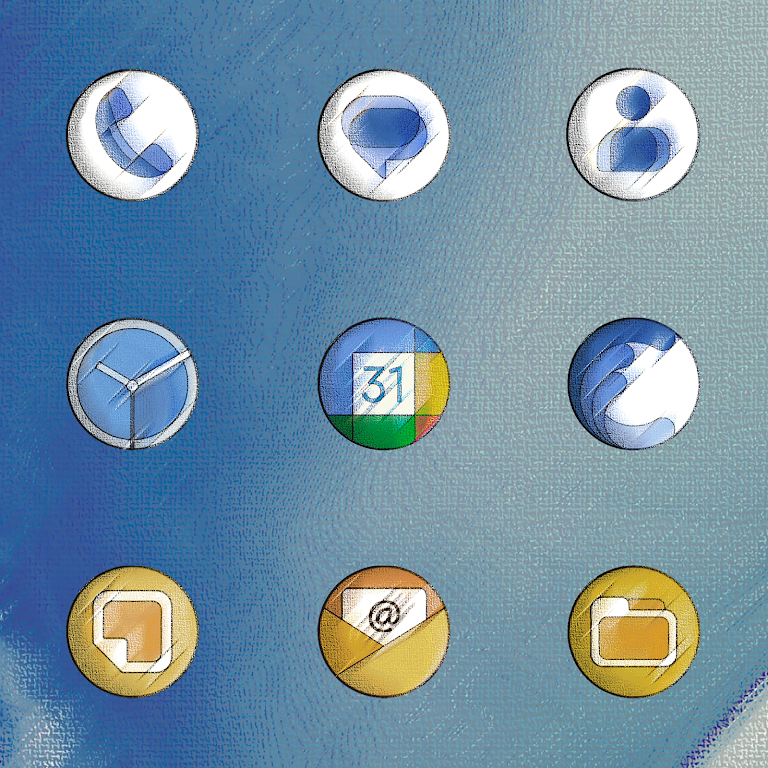
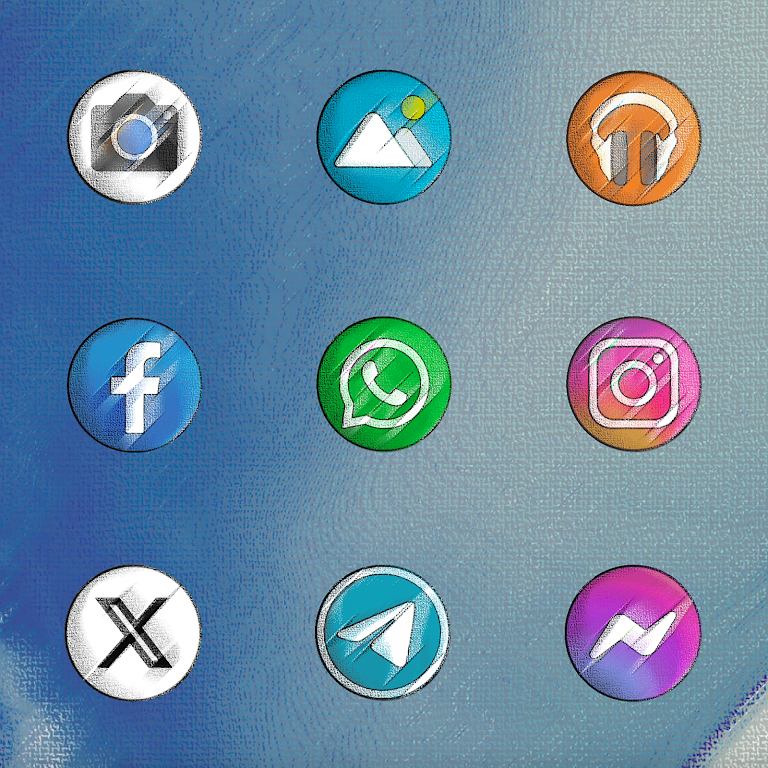
Pixly Vintage - Icon Pack delivers ultra-high-resolution artwork with hand-drawn details and layered filter effects that simulate aged materials and subtle brushwork. Each icon retains the original silhouette of the app it represents, preserving usability and quick recognition. The package also includes an automatic masking system for unsupported icons, a dynamic calendar icon that updates natively on supported launchers, and an in-app request option so users can ask for new or missing icons to be created over time.
The visual approach emphasizes texture and muted tones rather than bright saturation. Textured backgrounds, soft shadows, and gentle vignette treatments give each icon a tangible, physical quality reminiscent of printed or painted signage. Accents of desaturated color provide subtle focal points without overpowering the unified grey-forward palette. All icons are rendered at high resolutions and packaged to maintain clarity whether displayed small on a notification tray or large on a home screen grid.
Applying the icon pack is straightforward on launchers that support custom icon themes: open your launcher’s theme or icon settings and select the pack. For launchers that do not support automatic apply, manual assignment is possible through the app’s icon browser—long-press an app shortcut, edit the icon, and choose an icon from the Pixly Vintage collection. The app provides clear prompts and guidance so users unfamiliar with icon packs can make manual changes with minimal effort.
Pixly Vintage - Icon Pack includes an integrated request workflow that lets users submit icons for apps missing custom artwork. Requests can include the package name and a screenshot to speed up matching. Until a requested icon is created, the automatic mask helps unsupported apps blend into the set so the overall home screen remains cohesive. These tools keep the pack evolving while giving users a practical path to expand coverage of less common apps.
The icon set is designed to grow over time through periodic updates that add requested icons and refine existing artwork. The development approach is incremental: new icons are sketched, filtered to match the established palette, and added in monthly or occasional releases depending on demand. This progression system means the pack becomes more comprehensive the more it is used, and user feedback influences priorities for future additions.
Because readability is central to the design, the icons preserve clear, familiar shapes that assist quick visual scanning. The restrained color choices improve contrast with a variety of wallpapers, and the textured surfaces reduce glare on bright backgrounds. These qualities benefit users who rely on consistent iconography for navigation and help maintain legibility for everyone, including those who prefer a calmer, less visually busy interface.
All icon artwork is stored locally after installation, so the pack works offline and does not require an ongoing network connection to display icons. File sizes are optimized to deliver high-resolution assets while keeping the overall package compact enough not to affect device performance. Applying icons has negligible impact on battery or system responsiveness because the assets are static images rather than live widgets.
The pack encourages experimentation with wallpapers, widget styles, and grid sizes to create different moods from the same set of icons. Swapping wallpapers with warm textures highlights the painterly accents, while cooler backgrounds emphasize the muted grey tones. Because updates add new icons and the request system responds to user input, revisiting the pack periodically rewards users with new visual options and keeps home screens feeling fresh.
The intentionally muted, grey-forward palette may not suit users who prefer vivid or highly saturated icon themes. Some apps will display a filtered mask until a custom icon is created through the request process, so full coverage may take time depending on the popularity of requested apps. Overall, this approach prioritizes a unified, museum-like interface over maximal color variety.