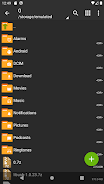
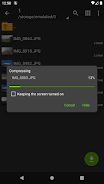
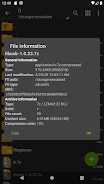
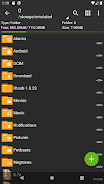
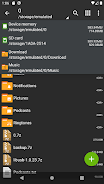
ZArchiver is a compact archive manager for Android that helps you create, view and extract compressed files with a focus on straightforward controls and privacy. The app supports a wide range of archive formats for both creation and extraction, and it is useful for people who maintain backups, manage app packages or handle large collections of compressed data. ZArchiver is designed to run entirely offline: it does not request internet permission and therefore cannot transmit your files to remote services. That privacy-first design makes ZArchiver a practical choice for storing sensitive archives on-device or preparing files for transfer by other means.
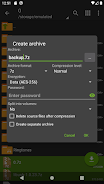
ZArchiver can create archives in popular formats such as 7z, zip, bzip2, gzip, XZ, lz4, tar and zst, while also opening and extracting a long list of existing archive types including 7z, zip, rar, rar5, iso, arj, cab, lzh, lzma and tar. Password-protected archives and multi-part or split archives are handled as well, allowing you to work with secured backups and sequences of split files. The app also supports installing APK and OBB files directly from within archives and can read archive attachments opened from mail and other apps without first extracting them to a separate folder.
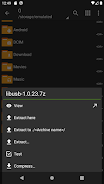
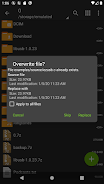
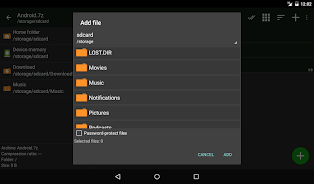
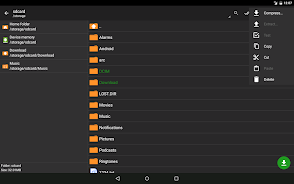
The interface is intentionally functional and compact, built around familiar touch interactions so most users can get started immediately. Tap an archive to view its content, long-press items to select several files for batch actions, and use the on-screen menu to extract, delete or add files where editing is supported. When creating archives you can choose destination and filename and provide a password for encrypted formats. Partial extraction lets you extract only the files you need from a large archive, which saves space and reduces wait time compared with extracting everything.
Rather than level-based progression, ZArchiver supports a workflow progression where tasks scale from quick single-file decompression to managing large multi-part backups. You can browse nested folders inside archives, preview file lists before extraction, and edit supported archive types by adding or removing entries. These capabilities make ZArchiver convenient for repeated routine tasks such as compressing daily logs, unpacking downloaded content, preparing application backups or consolidating file collections for long-term storage.
The visual design favors clarity and small footprint: clear file lists, readable icons and compact dialogs minimize clutter on both phones and tablets. Contrast and text size follow platform norms so the app remains usable on different screen sizes. Basic accessibility considerations such as simple navigation, consistent interaction patterns and support for physical keyboard navigation on compatible devices improve accessibility for users with different needs, while offline operation reduces distractions and potential interruptions from network activity.
ZArchiver focuses on efficient handling of archives with operations tuned for low memory overhead where possible, which helps when working with large archives on devices with limited resources. Since the app does not use network access, all common tasks are available offline and file processing remains local to your device. Multi-part archive support and partial extraction additionally reduce the time and storage required for routine maintenance tasks.
While ZArchiver offers broad decompression support, editing archives is limited to a subset of formats such as zip, 7zip, tar, apk and mtz; not every archive type allows in-place modification. RAR and RAR5 archives can be opened and decompressed but cannot be created with this app. Those constraints are typical for a lightweight, offline tool and are called out so you can plan workflows accordingly when creating or modifying archive collections.
ZArchiver is well suited for users who need a reliable, privacy-conscious file archiver on Android: developers unpacking APK resources, administrators managing backups, or power users consolidating downloads. The app's combination of format coverage, partial extraction and multi-part handling covers most routine archive tasks without relying on cloud services. If you need to inspect an archive, extract a single file from a large backup or install an APK stored in a compressed file, ZArchiver provides the core tools to get the job done efficiently and locally.