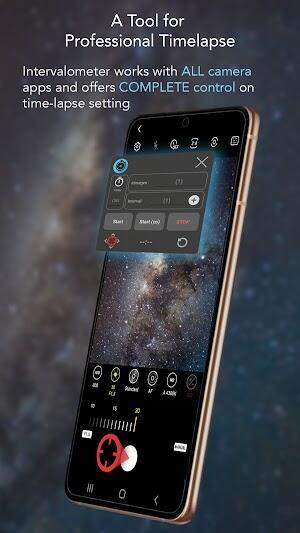
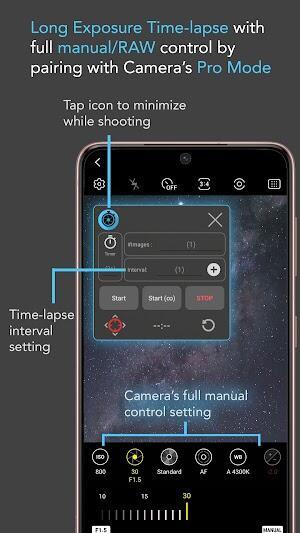
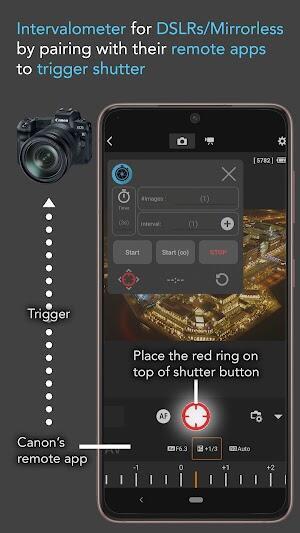

The Intervalometer app is a compact utility that converts your Android device into a precise time-lapse and interval shooting controller, ideal for photographers and videographers who need automated capture sequences. It simplifies scheduling, exposure control, and batch capture so you can focus on composition and motion over extended periods.
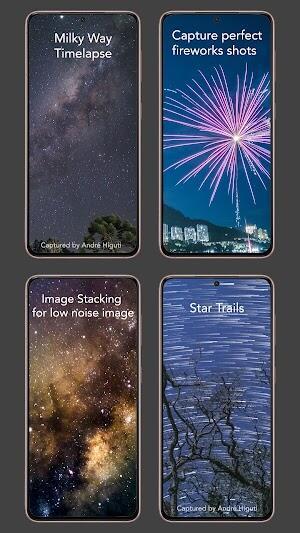
Intervalometer targets users who want reliable, repeatable shots without complex hardware. The app schedules repeated captures at fixed intervals, supports long exposures, and can trigger camera functions remotely on compatible devices. It's intended for landscape time-lapse, star trails, construction monitoring, and scientific capture where controlled timing matters.
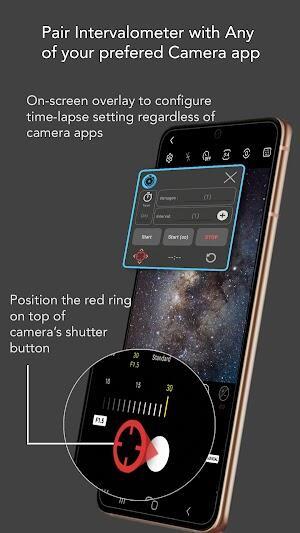
Using Intervalometer begins with choosing an interval and total number of frames. The app runs in the background while the device records each image according to the selected interval. For users working with external cameras, certain versions support remote triggering protocols, enabling the phone to act as a controller rather than the primary imaging device.
The interface is designed to prioritize speed and clarity. Main controls are visible on a single screen: interval duration, count, and a start/stop toggle. Presets are available through a compact menu so you can switch between workflows—such as sunrise, traffic studies, or astrophotography—without rebuilding settings from scratch.
Intervalometer includes several settings to tailor capture behavior. You can configure an initial delay to allow the camera to stabilize, enable or disable screen wake to conserve battery, and choose whether the app stops after the planned sequence or continues indefinitely until manually stopped. Some devices permit advanced exposure and focus-lock options, allowing for consistent image series.
The app is optimized to keep CPU and battery impact low during long sessions. Background operation is managed carefully to avoid unnecessary wake locks, and logs help diagnose dropped shots or timing disagreements with the camera subsystem. If you plan multi-hour or multi-day shoots, the app provides recommended practices for power management and storage planning.
Intervalometer is well-suited to photographers, content creators, researchers, and hobbyists who need precise timing control for imaging projects. Its accessible interface makes it friendly for newcomers, while presets and advanced options provide power users the control required for professional workflows.
Install the app from your preferred Android store, grant necessary camera and storage permissions, and create a simple preset to familiarize yourself with timing and exposure options. The app's help section lays out common scenarios and sample configurations so you can begin capturing disciplined, repeatable photo sequences quickly.
Intervalometer streamlines the repetitive part of time-based photography, letting you spend more time planning the shot and less time managing timers. Whether you are shooting a sunrise, documenting a project, or experimenting with night skies, the app is a practical tool to extend what your camera can do without complicated hardware.