







Water Photo Frames and Editor is a mobile photo utility that helps users enhance images with water-inspired borders, reflections, and custom overlays. The app combines an intuitive editor, a rich collection of frames and realistic water effects, and straightforward sharing options to transform ordinary photos into evocative water-themed compositions.
At its core, Water Photo Frames and Editor focuses on rapid creativity with tools that require little learning curve. Users gain access to a library of decorative frames, ripple and droplet overlays, and several blending modes. A built-in cropper and aspect presets allow images to be prepared for social networks, while undo/redo, auto-save, and batch processing speed up repetitive tasks.
The app presents a clean, tile-based interface where tools are reachable in two or three taps. Images are loaded from the camera roll or captured directly inside the app. Editing workflows are non-destructive: you can stack frames and filters, preview results at full resolution, and toggle individual layers on or off. Touch gestures control zoom, rotate, and precise placement of embellishments.
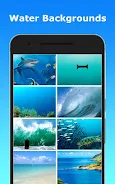
Water Photo Frames and Editor ships with a curated selection of frame styles ranging from subtle glass-like borders to dramatic flooded scenes. Each frame is optimized to maintain edge clarity and natural lighting. The water effects include animated ripples for exportable video snippets, static mirror reflections, and texture maps that mimic rain, condensation, or underwater haze. Frames can be resized, recolored, or combined to build unique looks.
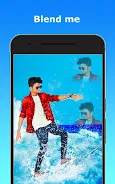
Beyond frames, the app supplies a set of photo correction tools: exposure, contrast, saturation, temperature, and selective sharpening. Layer blending options let you integrate water overlays with multiply, screen, and overlay modes for more convincing composites. A soft-edge eraser and feathering control make it straightforward to blend frames smoothly into portrait backgrounds or scenic landscapes.
For users who prefer one-tap results, the app includes preset styles that apply a frame, a water texture, and a matching color grade. More advanced users can save custom templates that record frame selections, opacity levels, and adjustment values for future reuse. The app also supports custom text captions with a selection of fonts and water-themed stickers to add context or branding to images.
Export options cover high-resolution JPEG and PNG for still images and short MP4 clips when animated ripples are used. Settings allow control over output quality and file size to balance fidelity with sharing convenience. Direct sharing buttons are provided for major social networks and messaging apps, while a gallery export can save multiple edited files to a specified device folder.
Water Photo Frames and Editor is engineered to perform smoothly on mid-range devices while scaling up to take advantage of more powerful processors. The app uses optimized image processing routines to minimize battery drain and memory usage during complex edits. Compatibility notes are displayed at install, with recommended OS versions for best results and optional in-app downloads for high-resolution frame packs.
Photographers can employ Water Photo Frames and Editor to build atmospheric portfolios, while social creators might use animated water effects to catch attention in feeds. The tool is also handy for themed invitations, seasonal posts, or adding subtle environmental context to travel photos. Consider combining custom text and a soft vignette to produce polished, share-ready pieces.
Water Photo Frames and Editor balances straightforward tools with enough depth for fine-tuned composition, making it a useful option for anyone looking to add aquatic flair to their images without a steep learning curve.