

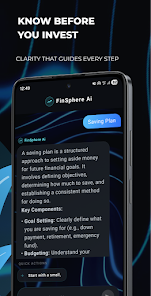
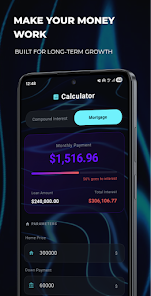
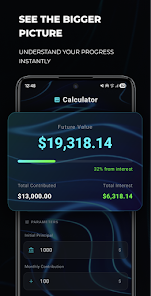

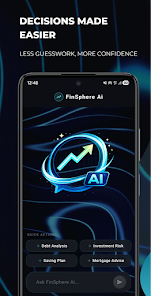

FinSphere Ai is an intelligent personal finance manager that uses machine learning to simplify budgeting, expense tracking, and financial planning on Android devices. It consolidates accounts, predicts cash flow, and provides tailored recommendations to help users make smarter money decisions without manual spreadsheet work.
FinSphere Ai combines automated data ingestion with easy-to-read visualizations. Its primary tools include multi-account aggregation, categorized expense tracking, recurring payment detection, and predictive forecasting. The app generates personalized saving goals and investment suggestions, and supports one-tap exports for reports or tax preparation.
FinSphere Ai organizes transactions into clear categories and timelines, making it simple to spot trends and identify recurring costs. The dashboard highlights your cash flow, disposable income, and upcoming obligations. Interactive charts let you zoom into specific months or merchant categories to understand where money goes and how habits change over time.
The app is designed for fast daily use. A streamlined onboarding imports accounts and suggests initial budgets based on historical data. Daily cards show recent transactions, flagged anomalies, and quick actions such as tagging, moving transactions between categories, or adding a receipt image. Scheduled reports can arrive in your inbox or as push notifications, helping you stay informed without opening the app constantly.
FinSphere Ai offers flexible settings for users who prefer manual control. Categories can be renamed and subcategories added. You can set multiple savings targets, each with individual rules and timelines. Rules and filters allow automated labeling of merchant types, and transaction splitting helps allocate single charges across multiple budgets.
Security is central to FinSphere Ai. The app uses bank-grade encryption to protect credentials and supports biometric unlock and strong passcodes for app access. Sensitive data is stored locally when possible, and cloud backups are encrypted with user-controlled keys. Connection to financial institutions uses read-only permissions, and the privacy policy details how anonymized data may be used to improve forecasts.
Built for modern Android devices, FinSphere Ai uses lightweight background syncs to minimize battery and data usage. The interface follows Material Design guidelines for smooth animations and predictable navigation. The app is optimized for a wide range of devices, from phones to large-screen tablets, and adapts to both portrait and landscape orientations.
For users who need broader workflows, FinSphere Ai supports CSV and OFX export formats and integrates with popular tax and accounting tools. Calendar syncing helps visualize upcoming bills and paydates. Webhooks and API access are available for advanced users or small businesses that want to connect custom spreadsheets or automation platforms.
The design emphasizes readability and quick comprehension. Large fonts and high-contrast themes assist users with visual needs, while customizable notification preferences prevent alert fatigue. Contextual help and inline tips guide new users through budgeting concepts and AI-generated recommendations without overwhelming experienced users.
Begin by linking one or two accounts and allowing a short scan of recent transactions. The app will propose a budget and suggest categories; you can accept these suggestions or adjust them manually. Spend a week reviewing the daily insights to see automatic adjustments and more accurate forecasts as the AI learns your habits.
Many users appreciate how FinSphere Ai merges automation with practical control: it reduces the time spent on routine financial tasks while offering transparent tools for customization. The predictive analytics and clean interface make it easier to plan short-term cash needs and longer-term goals, turning complex financial data into actionable advice.