
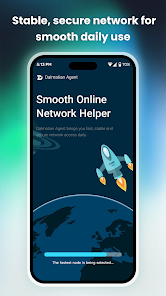
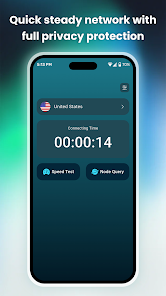
Dalmatian Agent is a lightweight privacy tool that protects your internet connection with a single tap, designed for people who regularly use public Wi‑Fi or want to keep their IP address hidden. Dalmatian Agent encrypts outgoing traffic to reduce the risk of network tracking and accidental data leaks while automatically choosing an optimal server node to balance speed and stability. The app keeps setup and interface intentionally simple so new users can connect quickly without technical configuration, while following a strict no‑logs policy to limit stored information and preserve anonymity.
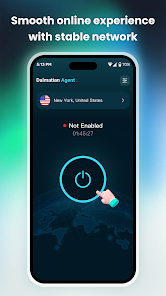
Dalmatian Agent focuses on straightforward protection rather than a crowded settings menu. Core elements include a one‑touch connect control, persistent connection status visible on the main screen, and automatic node selection to reduce manual trial and error. The app uses modern, high‑strength encryption protocols to protect browsing, messaging, and app traffic. Minimal local configuration and a clear connection indicator make it practical for commuters, travelers, and anyone using unknown or shared networks.
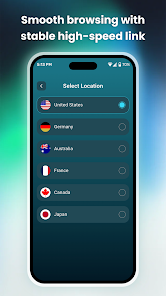
The app establishes an encrypted tunnel between your device and a selected server node; this tunnel helps mask your device IP from websites and local network observers and reduces the chance of casual traffic inspection. When you tap connect, Dalmatian Agent negotiates a secure session and routes traffic through the chosen node. Automatic node matching seeks the best available endpoint based on latency and load to keep browsing and streaming as responsive as possible, while the app continuously monitors connection health and attempts reconnection if a brief drop occurs.
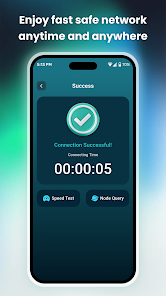
The interface prioritizes a clear, accessible control model: a prominent connect/disconnect control on the home screen, a visible connection status, and a concise explanation of what protection is active. Controls are designed for one‑hand use and predictable behavior across device sizes. Informational elements such as connection duration, current node name, and whether data is encrypted are presented without clutter so users understand the protection state at a glance. Background operation is streamlined to avoid unnecessary battery drain while preserving an active secure session when the device is in use.
Privacy underpins the design: Dalmatian Agent maintains a stated no‑logs approach and minimizes local storage of session metadata. The application relies on established encryption methods rather than experimental protocols and avoids collecting personal identifiers as part of normal operation. For users concerned about privacy, the app separates the minimal configuration required for operation from any optional settings so the default behavior gives sensible protection out of the box.
Encryption and routing add some overhead, so depending on your network and the distance to the selected node you may notice slight latency compared with an unprotected connection. The simplified interface intentionally limits deep customization, which means power users who want granular routing or advanced tunneling options may find the app less flexible than specialist tools. Dalmatian Agent cannot create a secure connection when no network is available; it will report offline status and prevent attempts to route traffic until a network connection is restored.
The app’s clean layout supports readability and ease of interaction across Android devices and screen sizes. Controls are large and spaced to assist users with motor or vision challenges, and textual status indicators complement visual cues. Dalmatian Agent is designed to share device resources responsibly and to work with a wide range of cellular and Wi‑Fi networks, though specific performance can vary by carrier and local network conditions.
People who value simple, repeatable protection will find Dalmatian Agent useful for daily travel, remote work, and intermittent use on public networks. There is clear value in repeatedly using the app whenever you join unfamiliar Wi‑Fi, and the straightforward experience lowers the barrier to establishing secure sessions regularly. For those who want to evaluate performance, basic connection diagnostics and observed latency differences provide practical feedback on when to switch nodes or use alternative networks.