
ZestSSH is a compact, secure SSH client for Android that lets developers and system administrators manage remote servers from their phones and tablets. It combines key-based authentication, terminal emulation, and file transfer tools to streamline on-the-go maintenance without sacrificing security or control.
ZestSSH focuses on the essentials required for remote server management. It supports password and public key authentication, multiple concurrent sessions, and colorized terminal output. The app is built to handle tasks like log inspection, service restarts, and lightweight scripting directly from a mobile device.
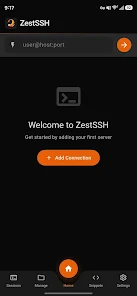
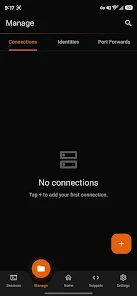
The interface is organized to keep frequent actions within reach. A session list shows recent connections and saved profiles, while a quick-access toolbar offers common commands and file operations. ZestSSH minimizes taps by providing gestures and shortcuts for switching sessions, sending control sequences, and adjusting terminal settings on the fly.
Security is a core consideration. ZestSSH implements strong encryption for transport and stores credentials securely using the device's keystore when available. For environments requiring strict access, users can rely on public/private key pairs and passphrase-protected keys. The app also supports known hosts verification to prevent man-in-the-middle attacks.
Beyond interactive shells, ZestSSH includes practical utilities for transferring files and managing network tunnels. These features make routine operations faster and reduce the need to switch between multiple apps.
ZestSSH is optimized for responsive performance on a range of Android devices, from small phones to large tablets. Terminal rendering is efficient to conserve battery while keeping input latency low. Compatibility covers a wide variety of SSH server implementations, and the app adapts to different screen sizes and orientations to maintain usability.
Power users will appreciate the configuration options. ZestSSH lets you customize terminal behavior, control keepalive intervals, and define command aliases. For automated tasks, simple scripting and saved command lists speed common maintenance procedures without exposing credentials.
Setting up ZestSSH is straightforward. Add a new host entry, choose an authentication method, and test the connection. The app guides users through key generation and import steps, and provides example commands to verify settings. A short help section explains common scenarios like connecting through a bastion host or using agent forwarding.
System administrators, DevOps engineers, and developers will find ZestSSH useful for emergency fixes, quick inspections, and routine administration when a laptop is unavailable. It also works well as a companion tool for monitoring services, performing quick backups, or deploying small updates directly from the device.
ZestSSH balances a compact, focused feature set with the reliability expected from a production-grade SSH client. Its blend of secure authentication, session management, and mobile-friendly controls makes it a convenient choice for professionals who need dependable remote access from Android devices.