
BloumeMail is a modern email client built to simplify communication across multiple accounts while prioritizing speed and security. It combines a unified inbox, powerful search, and automated organization tools to help users manage messages efficiently. The app supports common providers and offers privacy-focused options for business or personal use.
BloumeMail consolidates email accounts into a single, responsive interface so you can focus on conversations instead of switching apps. It offers robust synchronization, threaded conversations, and quick previews for attachments. Designed for both mobile-first workflows and desktop-style efficiency, the application balances functionality with a clean aesthetic.
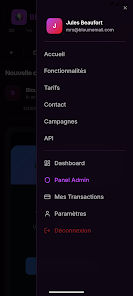
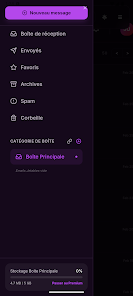
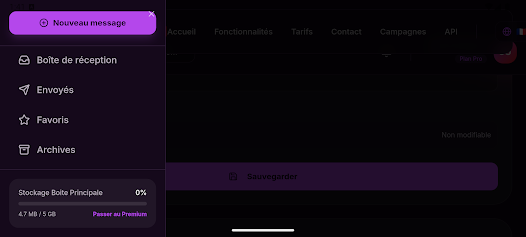
The interface in BloumeMail is organized around productivity. A customizable sidebar provides fast access to folders, labels, and frequently used accounts. Message composition includes templates, signatures per account, and rich text formatting. Swipe gestures and quick action buttons let you archive, snooze, or reply with minimal taps, streamlining common routines.
Built-in prioritization tools help surface the emails that matter. Focused views present unread or high-priority messages first, while background sorting moves newsletters and automated notifications into separate folders. Users can create rules that apply actions automatically, such as labeling vendor invoices or forwarding receipts to designated addresses.
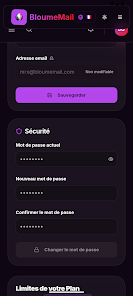
Security is central to BloumeMail’s design. The client supports encrypted connections to mail servers, two-factor authentication compatibility, and secure attachment handling. For privacy-focused users, optional end-to-end encryption and local storage controls reduce exposure to third-party systems. Permission requests are kept minimal and transparent, and session management tools allow you to revoke device access remotely.
BloumeMail is optimized for low memory usage and fast startup on a wide range of Android devices. Synchronization is incremental, which reduces battery and data consumption while keeping your view up to date. The app supports popular providers and generic IMAP/SMTP accounts, making it a flexible option whether you use consumer or corporate email services.
Personalization options let you tailor the app to your workflow. Choose themes, adjust notification rules per account, and set preferred swipe actions. Integrations with cloud storages, calendar apps, and task managers enable a connected productivity environment. Developers can also link external apps via share intents and supported APIs.
Setting up BloumeMail is straightforward: add an account using automatic detection or manual settings, grant required permissions, and let the app synchronize your folders. A guided setup wizard helps configure signatures, notification preferences, and initial rules so you can begin managing email immediately. Help resources and in-app tips shorten the learning curve for new users.
Users report a responsive experience with minimal clutter and consistent behavior across devices. Regular updates address performance improvements and security patches. Support channels include in-app feedback, documentation, and community forums where tips and troubleshooting steps are shared. For larger teams, administration options and account provisioning tools simplify deployment.
BloumeMail aims to be a versatile, dependable email client that adapts to personal and professional needs. By combining automation, strong search, and configurable security, it reduces inbox friction and keeps communications organized without sacrificing speed or privacy.