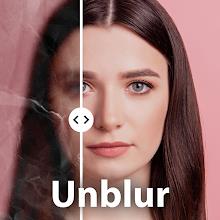
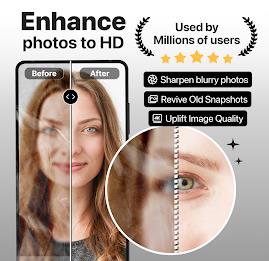
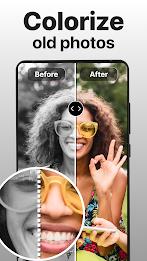

Most of us have at least one photo that looks hopelessly faded or pixelated when you zoom in, and that nagging blur is exactly the problem PhotoBoost - AI Photo Enhancer aims to solve. This app brings a one-tap workflow for restoring old prints, sharpening soft portraits and enlarging small images for clearer sharing. It combines automated upscaling, color restoration and scratch removal into a simple interface so you can revive snapshots from years ago or fix an unfortunate low-light selfie before posting.
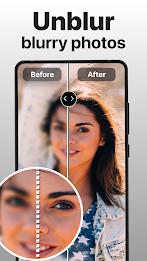
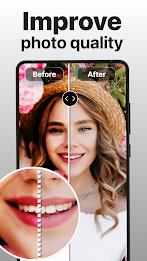
One-tap enhancement: PhotoBoost - AI Photo Enhancer applies sharpening and denoising in a single action, producing a clearer result without fiddly sliders.
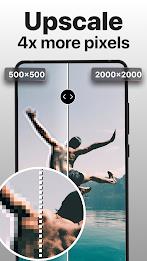
Upscale engine: Enlarge small images to higher resolutions while preserving faces and edges for print-ready output.
Colorize old photos: Turn monochrome pictures into colored versions with natural tones and careful skin rendering.
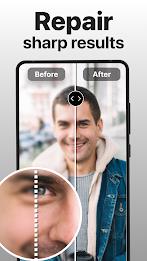
Scratch and blemish repair: Remove dust, scratches and minor damage from scanned prints so older images look refreshed.
Crop before you boost: Trim out distracting borders or hands holding a camera so the app focuses processing power on the subject.
Use colorize selectively: For archival photos, run a colorized preview and compare with the original to decide whether the color version fits the mood.
Scan at highest quality available: When restoring prints or negatives, a cleaner source scan delivers better results; PhotoBoost - AI Photo Enhancer will perform best with sharper inputs.
Will PhotoBoost - AI Photo Enhancer preserve facial details?
The app prioritizes face reconstruction when enhancing portraits, improving eyes and edges while avoiding unnatural smoothing.
Can I use it to make a photo larger for printing?
Yes. The upscaling tool increases image resolution and reduces pixelation so prints look better than a straight enlargement would.
Is it suitable for restoring very old, damaged prints?
PhotoBoost - AI Photo Enhancer can remove common defects like scratches and grain, but results vary with the severity of damage and the quality of the original scan.
If you want an accessible tool for sharpening portraits, colorizing archives and preparing images for sharing or printing, try PhotoBoost - AI Photo Enhancer and see how a few taps can transform imperfect photos into clearer memories.